NetBox Copilot
What is NetBox Copilot?
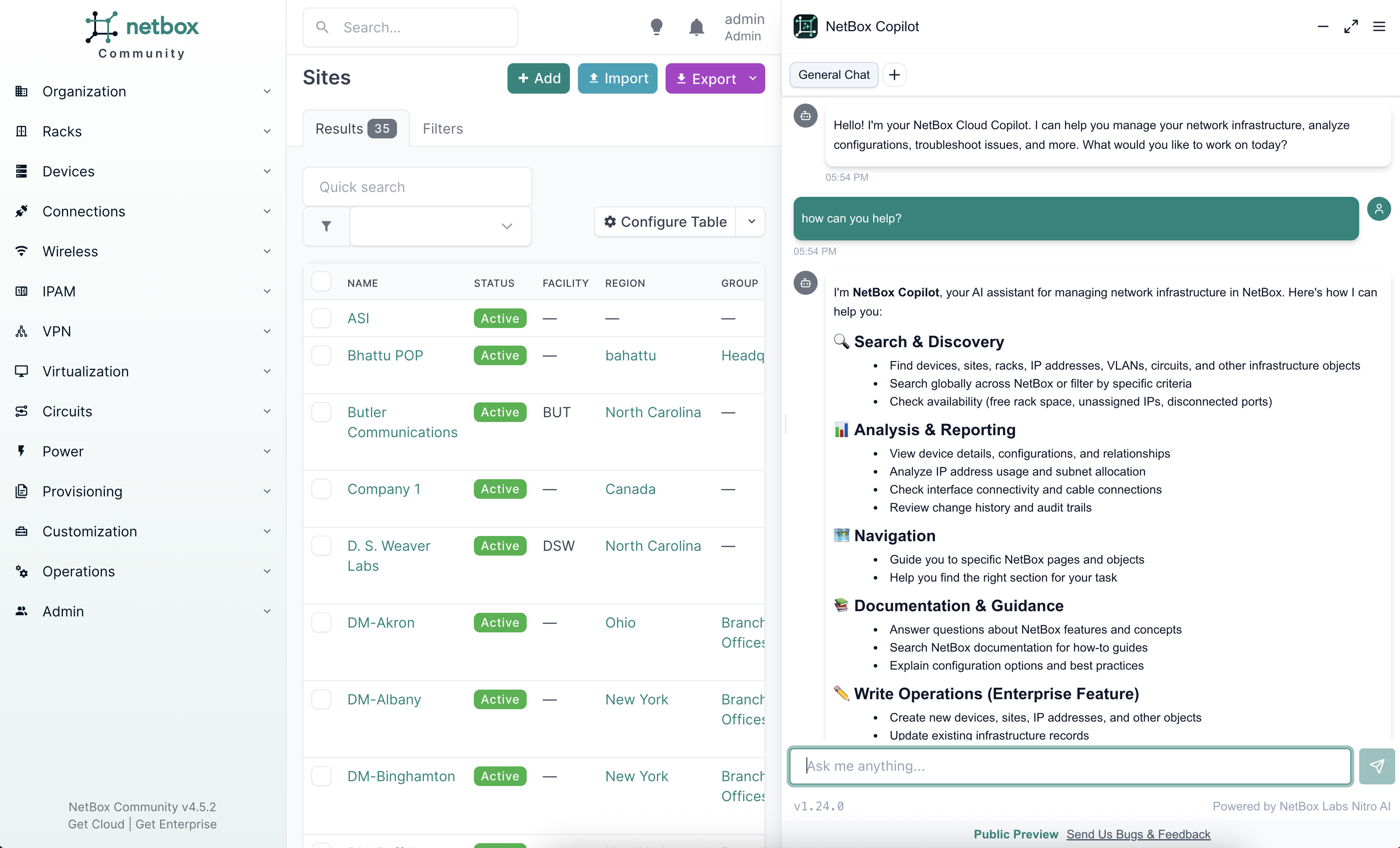
NetBox Copilot is an AI-powered assistant that embeds directly into your NetBox interface. It lets you interact with your network and infrastructure data using natural language. Copilot works with all NetBox editions—Community, Cloud, and Enterprise—without requiring modifications to your NetBox installation.
Think of Copilot as your intelligent partner for working with NetBox. Instead of navigating through multiple pages or writing scripts to gather information, you can ask questions in plain language and get immediate answers. With write tools, you can also create, update, and delete NetBox objects through a safe, human-in-the-loop approval workflow.
Key Benefits
Accelerate Your Workflows: Get answers to complex questions in seconds instead of minutes. Copilot queries across multiple object types, analyzes relationships, and surfaces insights faster than manual navigation.
Automate Changes Safely: Go beyond investigation to action. Copilot can create, update, and delete NetBox objects with built-in approval workflows that keep you in control. Every change requires your explicit confirmation before it's applied.
Democratize Network and Infrastructure Data: Make your NetBox data accessible to team members who may not be familiar with NetBox's structure or API. Non-technical users can ask questions in their own words and get the information they need.
Combine AI with Your Data: Large language models meet deep knowledge of NetBox's data model and your specific infrastructure. Copilot understands both NetBox concepts and your actual data.
What Can You Do with Copilot?
Query Your NetBox Data
Ask questions about your infrastructure in natural language:
- "Show me all devices in the NYC datacenter"
- "What IP addresses are available in 10.0.1.0/24?"
- "Which interfaces on switch01 are not connected?"
Make Changes to NetBox
Create, update, and delete objects through conversation:
- "Create a new device called web-server-03 in the NYC site"
- "Update the description on this interface to 'Uplink to core'"
- "Delete the unused IP addresses in this prefix"
All write operations require your explicit approval before execution—you stay in control.
Note: Write tools require a NetBox Cloud or NetBox Enterprise subscription.
Analyze Relationships
Explore connections across your network infrastructure:
- "Show me all devices in racks that are over 80% full"
- "What VLANs are used in the datacenter site?"
- "Which devices in the production environment are missing primary IPs?"
Investigate Changes
Track what happened and when:
- "What changes were made to this device last week?"
- "Show me the change history for device 123"
- "Who modified this IP address?"
Get Help with NetBox
Access NetBox documentation and learn as you work:
- "How do VRFs work in NetBox?"
- "What's the difference between a site and a location? Should I be using both?"
- "How do I use cable traces?"
Getting Started
Getting started takes just a few minutes:
- Enable Copilot in your NetBox User Preferences (NetBox 4.4.5+) or use the console injection method for older versions
- Create an account or log in through the Copilot interface
- Start asking questions about your NetBox data
Check out the Quickstart Guide for step-by-step instructions.
Feature Availability
NetBox Copilot is available across all NetBox editions with different feature sets:
- Free tier: Read-only capabilities for all NetBox users
- NetBox Cloud / Enterprise subscriptions: Write tools (create, update, delete with approval workflow)
- Premium tier: Data governance features including bring-your-own-model (BYOM), data sovereignty, and retention policies
- Private Copilot: Available as an add-on for Premium NetBox Enterprise customers who need on-premises deployment
Visit netboxlabs.com/pricing for current plan details and pricing.
Need Help?
- Questions or feedback? Use the feedback button in the Copilot interface or contact NetBox Labs support
- Want to learn more? Check out the Usage Guide for detailed capabilities and best practices
- Privacy concerns? See our Privacy & Security page for complete details on data handling